Map builder and map settings
Challenges appear to players as locations on a map. Build → Map builder places challenges on it, and Build → Map settings chooses which map players see.
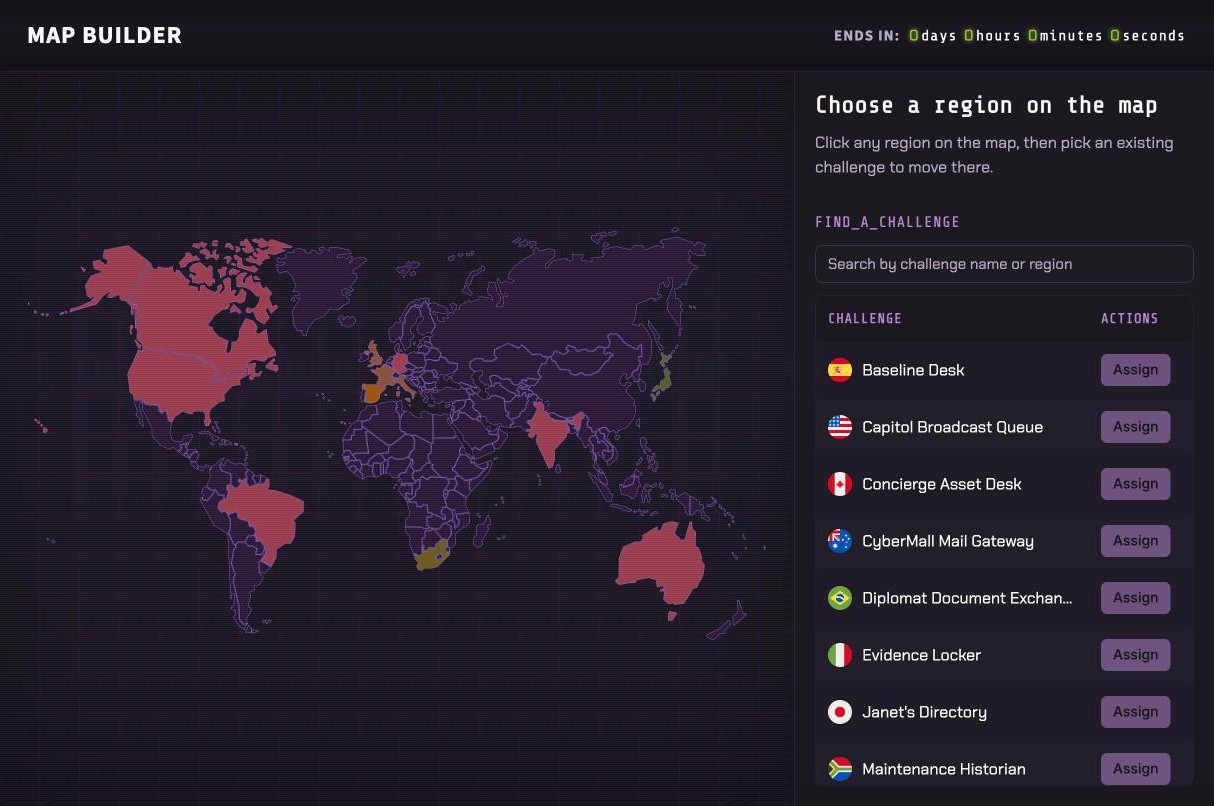
Map builder
- Select a region on the map.
- Pick an existing challenge to move there.
Use Find a challenge to search the list. A challenge has to exist before you can place it, so create or import challenges first.
Challenges that haven't been placed are counted as Unplaced on the Build overview.
Map settings
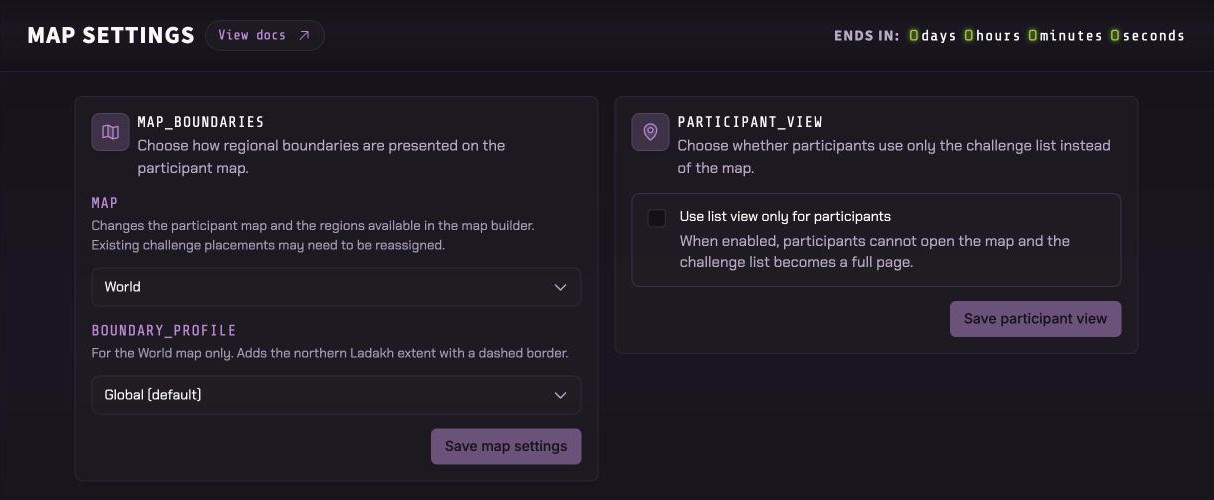
Map boundaries
- Map changes the participant map and the regions available in the map builder. After changing it, check your placements: existing ones may need to be reassigned.
- Boundary profile applies to the World map only and controls how certain regional boundaries are drawn.
Participant view
Turn on Use list view only for participants if you don't want a map at all. Players then can't open the map, and the challenge list becomes a full page.
Related
- Navigating the map for what players see
- Categories for the colours and icons used on the map