Challenge details and ratings
Every challenge in the challenge library has its own page with the full write-up, the files it needs and how to run it. To open it, select View more on a challenge card.
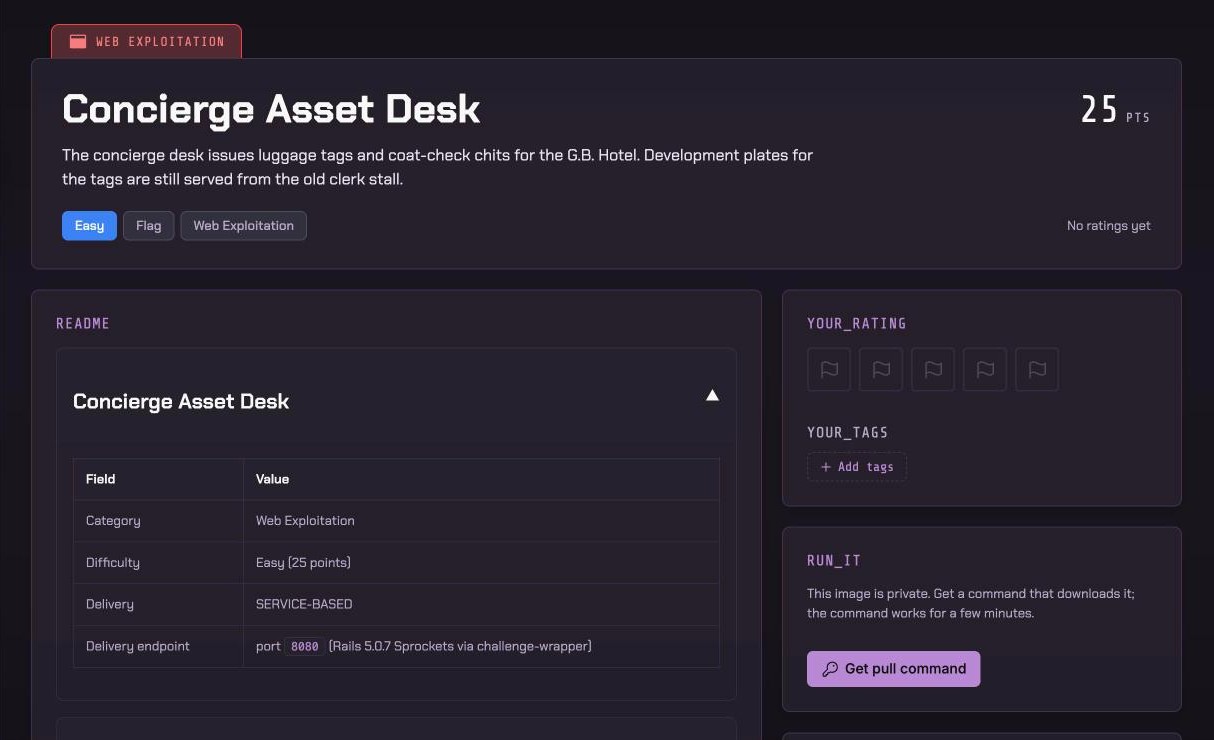
What the page shows
- The category, name, points and a short description.
- Chips for the difficulty, the challenge type and its tags.
- The average rating from organisers, or No ratings yet.
- The README, split into sections you can open and close.
- Required files, such as source archives and solve scripts.
Rate a challenge
Under Your rating, select one to five flags. Your rating counts towards the average shown on the challenge's card in the library.
You can change your rating at any time.
Tag a challenge
Under Your tags, select Add tags, pick the tags that fit, then select Done. Tags help other organisers filter the library.
Run the challenge yourself
Run it shows how to start the challenge on your own machine with Docker, so you can try it before you import it.
Some images are private. For those, select Get pull command. The command downloads the image into Docker and works for a few minutes. It needs skopeo. If it has expired, select Get a new command.