Reviewing your event
The Review workspace opens by default once an event has ended. Use it to see how the event went and to download reports.
Review overview
- Players engaged: participants who opened a challenge.
- Engaged time: time active in challenge instances.
- CTF rating: the average rating participants gave the event afterwards.
- Challenge ratings: participant feedback on individual challenges.
- Integrity review: suspicious solve patterns waiting for a decision. Select Review flagged activity to work through them.
Final standings
The results, using the frozen scoreboard state, with teams, total solves and completion rate above the table. Select Export CSV to download them.
Challenge performance
Per challenge: how many participants engaged, for how long, how many solved it, and how it was rated. Use this to find challenges that need adjusting before you reuse them.
Reports
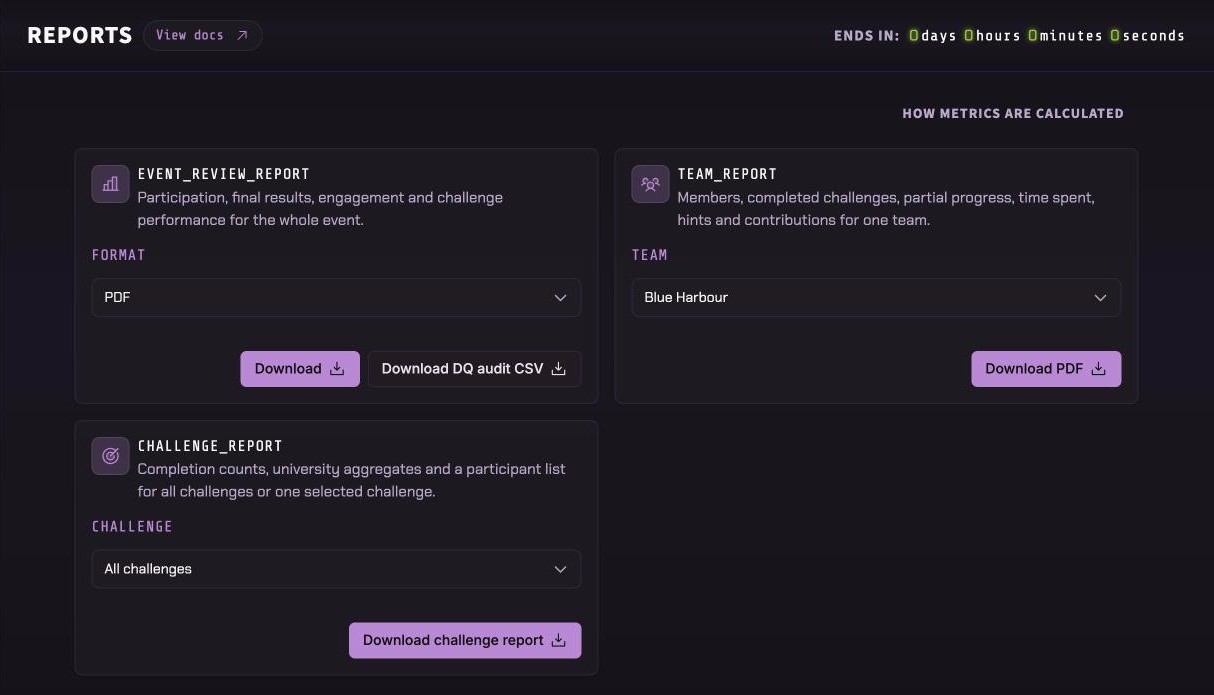
| Report | Contains |
|---|---|
| Event review report | Participation, final results, engagement and challenge performance for the whole event. Choose the format, then Download. |
| DQ audit CSV | A record of disqualifications. |
| Team report | For one team: members, completed challenges, partial progress, time spent, hints and contributions. |
| Challenge report | Completion counts, university aggregates and a participant list, for all challenges or one. |
Select How metrics are calculated on that page for the definitions behind the numbers.