Integrations
The Integrations workspace connects an event to things outside Biterra.
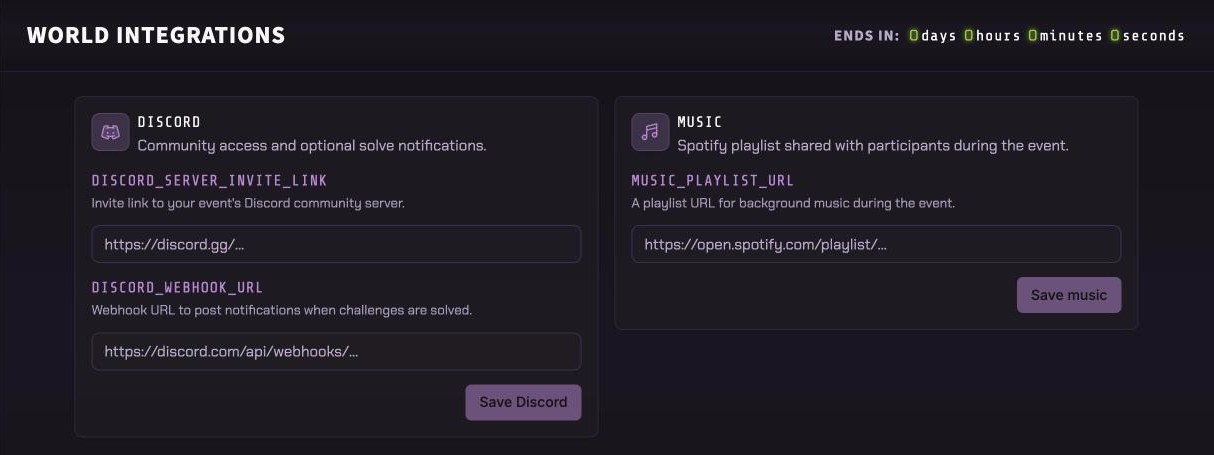
World integrations
Discord
- Discord server invite link: the invite to your event's community server. Players see it as a way to join.
- Discord webhook URL: optional. When set, a notification is posted to that channel each time a challenge is solved.
Select Save Discord after changing either.
For events that players find and register for from Discord, see Discord app setup.
Music
Music playlist URL takes a Spotify playlist link, shared with participants during the event. Select Save music to apply it.
Registry credentials
If your launchable challenges or shared launch target use images from a private container registry, the event needs a credential to pull them. Registry credentials are managed for the organisation and chosen per event here and in Challenge settings.
Treat registry credentials like passwords: use a read-only token made for this purpose, not a personal login.