People
People lists everyone registered for the event. It has two tabs, Users and Teams. Recruitment events also have Applicants.
Users
Search by name, email or team, and filter by role. Each row shows the user's role, eligibility, scoreboard visibility, team and when they joined.
From a row you can:
- Disqualify participant: marks them as not eligible.
- Hide from scoreboard: keeps them playing but removes them from the public standings.
Teams
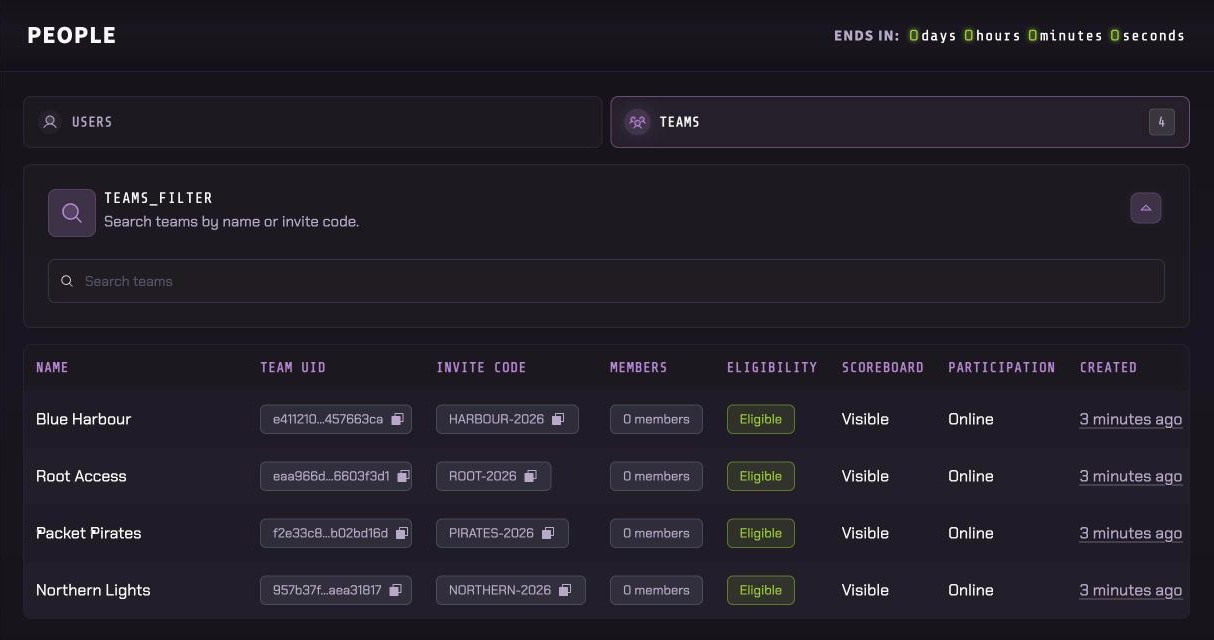
Search by team name or invite code. Each row shows the team's invite code, member count, eligibility, scoreboard visibility, participation mode and creation date.
From a row you can:
- Disqualify team
- Hide from scoreboard
The invite code shown here is the team invite code, which lets a player join that team. It is different from an event access code. See Event access code vs team invite code.
Before you disqualify
Disqualifying affects the final standings. If you only want a test or staff team out of the public table, use Hide from scoreboard instead.
Related
- Users and Teams and invite codes in the Customer Portal
- Reviewing your event for the disqualification audit export