The event homepage
Every event has its own homepage. It is the page people land on from an event link, and where they register.
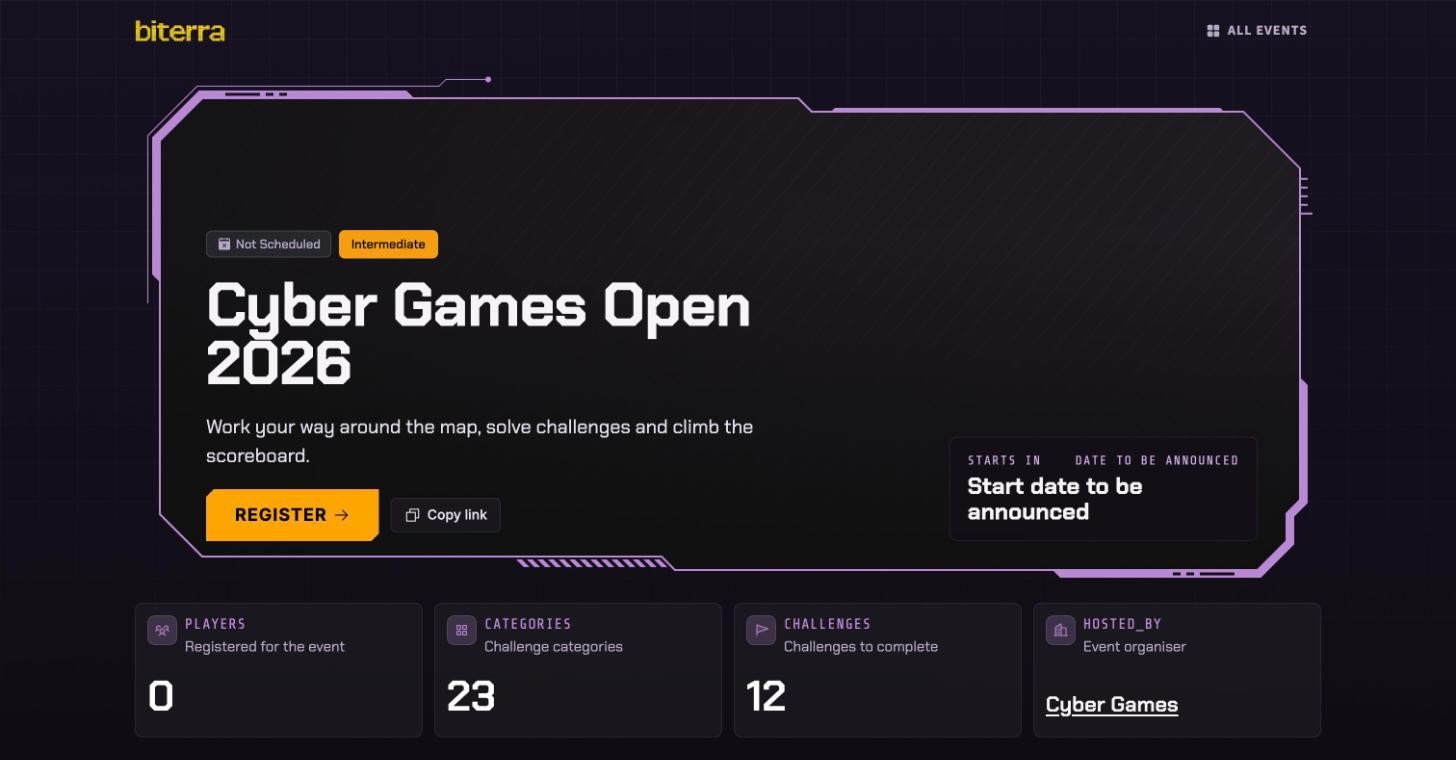
What players see
- The event's status and difficulty.
- The title and objective.
- Register, or Enter once they are registered and the event is live.
- Copy link, to share the page.
- A countdown to the start. Until dates are set it reads Start date to be announced.
- The number of players, categories and challenges, and who is hosting.
- Key dates.
- The Leaderboard, which goes live when the event starts.
What you control
All of this comes from the world's settings in the Customer Portal. See World settings and the settings form sections.
| On the homepage | Setting |
|---|---|
| Title and objective | Event title and objective |
| Difficulty chip | Difficulty |
| Countdown and key dates | Registration and event dates |
| Colours | Theme |
| Prizes on the podium | 1st, 2nd and 3rd prize |
| Who can see and join the event | Visibility type |
Share the event
Select Copy URL on the world's page in the Customer Portal, or Copy link on the homepage itself.